Manage builds
An important feature in the Jest Developer Console is the ability to upload your app builds.
Each uploaded build is stored as a version, and you can control which version is active.
You must create a Jest app before uploading a build. Once your app is published, activating a new build also requires your team to have signed the current platform agreements — your first build is not held up by them.
Upload a build (web interface)
To upload a new build using the Developer Console:
- Open the Jest Developer Console and log in.
- Navigate to Apps, then select your app, then open Manage.
- Open the Versions tab and click Upload New Version.
- Enter a new version number (for example,
1.0.0). - Select Choose File and upload a
.ziparchive containing your build files. - (Optional) Enable automatic activation if you want this version to become active immediately.
- Click Create Version to upload the build.
Once uploaded, the build will appear in the Versions list.
When a version is set as Active, it is served to users.
If your app is set to Hidden, it will not appear in the Jest platform Explore or Home sections - even if a build is active.
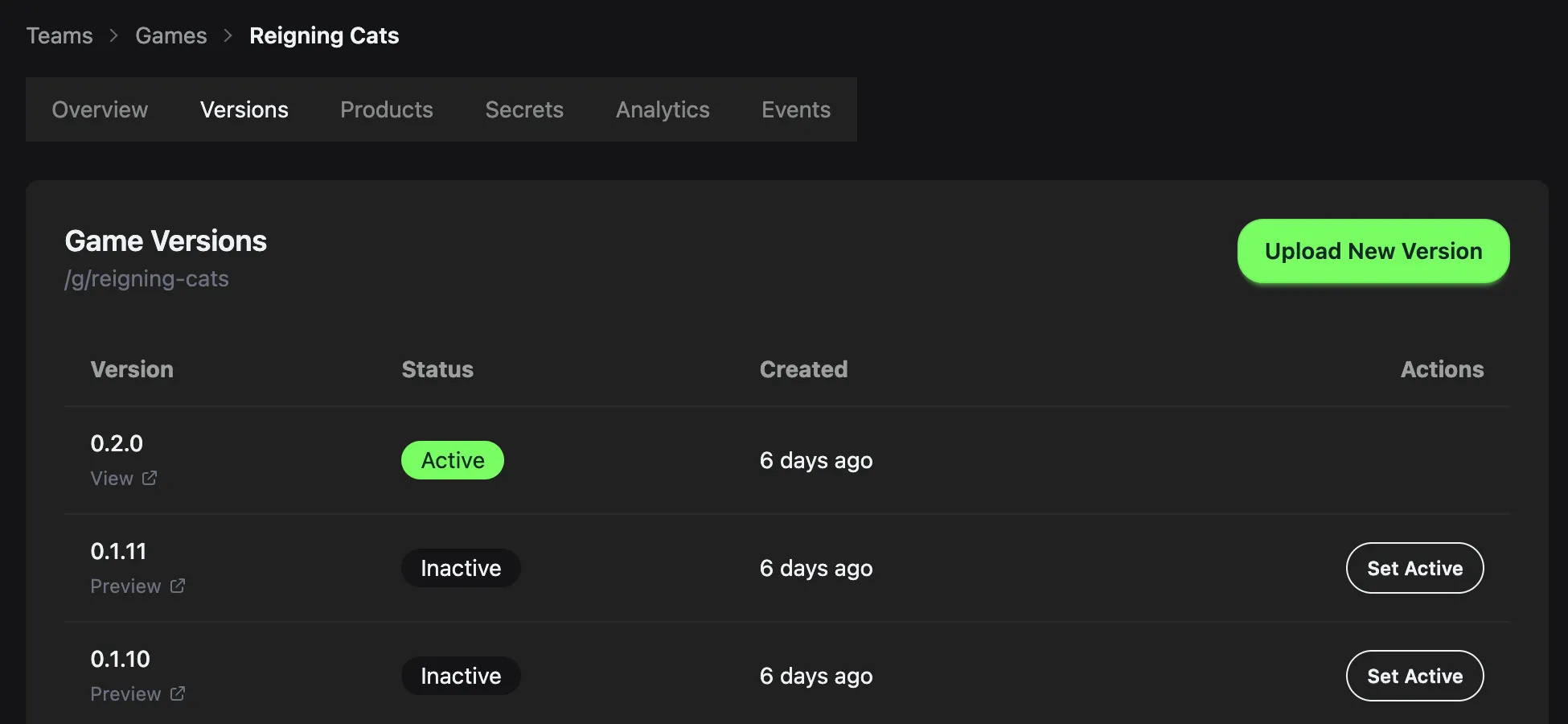
Manage app builds / versions
Preview a build
If you want to test a specific version of a build, you can select the Preview link. This allows you to test a specific build without releasing it to your user base.
Upload a build programmatically
You can upload builds programmatically (for example, from a CI/CD pipeline) using the upload API and your app’s Upload Token.
Get your Upload Token
- Open Apps > Manage
- Navigate to Secrets
- Copy the Upload token
Keep this token secure. It authorizes build uploads for your app.
API endpoint
POST /api/management/games/:id/upload-build
Replace :id with your app ID.
The build is streamed to storage and returns immediately. Processing happens in the background and you receive an email notification when complete.
Headers
x-build-version(required): the version string for the build (for example,"1.0.0"). Must start with a letter or digit, followed by letters, digits, dots, hyphens, or underscores, up to 64 characters.x-game-upload-token(required): Your app's Upload Token
Request body (multipart/form-data)
file(required): The.ziparchive containing your app buildisActive(optional):"true"or"false"; defaults to"false"if omitteddescription(optional): version descriptionnotificationEmail(optional): override the notification recipient email
Response (202 Accepted)
{
  "versionId": "uuid",
  "buildStatus": "processing"
}
Example
curl -X POST https://jest.com/api/management/games/GAME_ID/upload-build \
  -H "x-build-version: 1.0.0" \
  -H "x-game-upload-token: YOUR_TOKEN" \
  -F "file=@build.zip" \
  -F "isActive=true" \
  -F "notificationEmail=you@example.com"