Notifications
Overview
Jest allows apps to re-engage users through notifications delivered on the platform and, selectively, to the user’s messaging inbox.
This guide covers best practices for designing notification strategies on Jest, including scheduling patterns, reminder content, and attribution. For API usage and implementation details, see the Notifications SDK documentation.
How notifications work on Jest
At a high level:
- SDK scheduling: Apps schedule notifications using the Jest SDK.
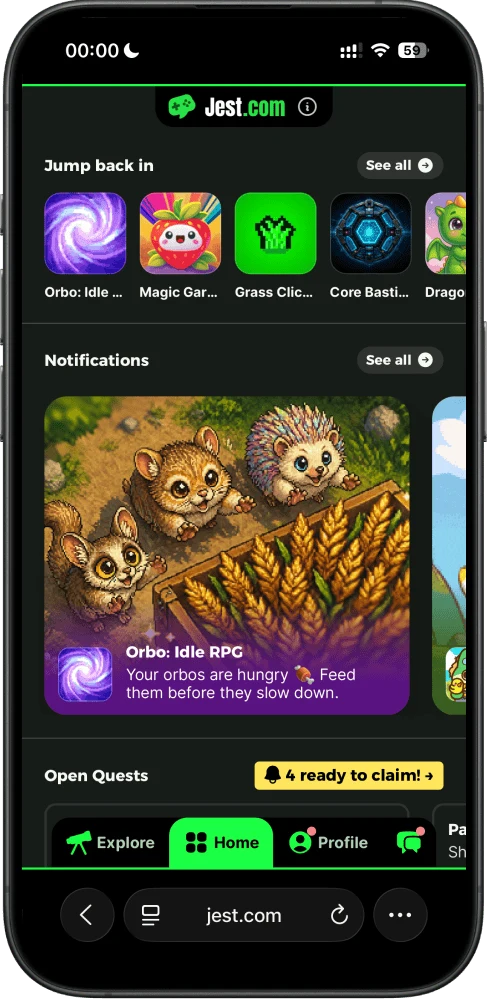
- Home tab display: Once an app is Approved and Public, its scheduled notifications appear on the Jest.com Home tab from their scheduled time onward, and sometimes sooner. Home displays one notification at a time and supports a rich, customizable interface for text, images, and videos.
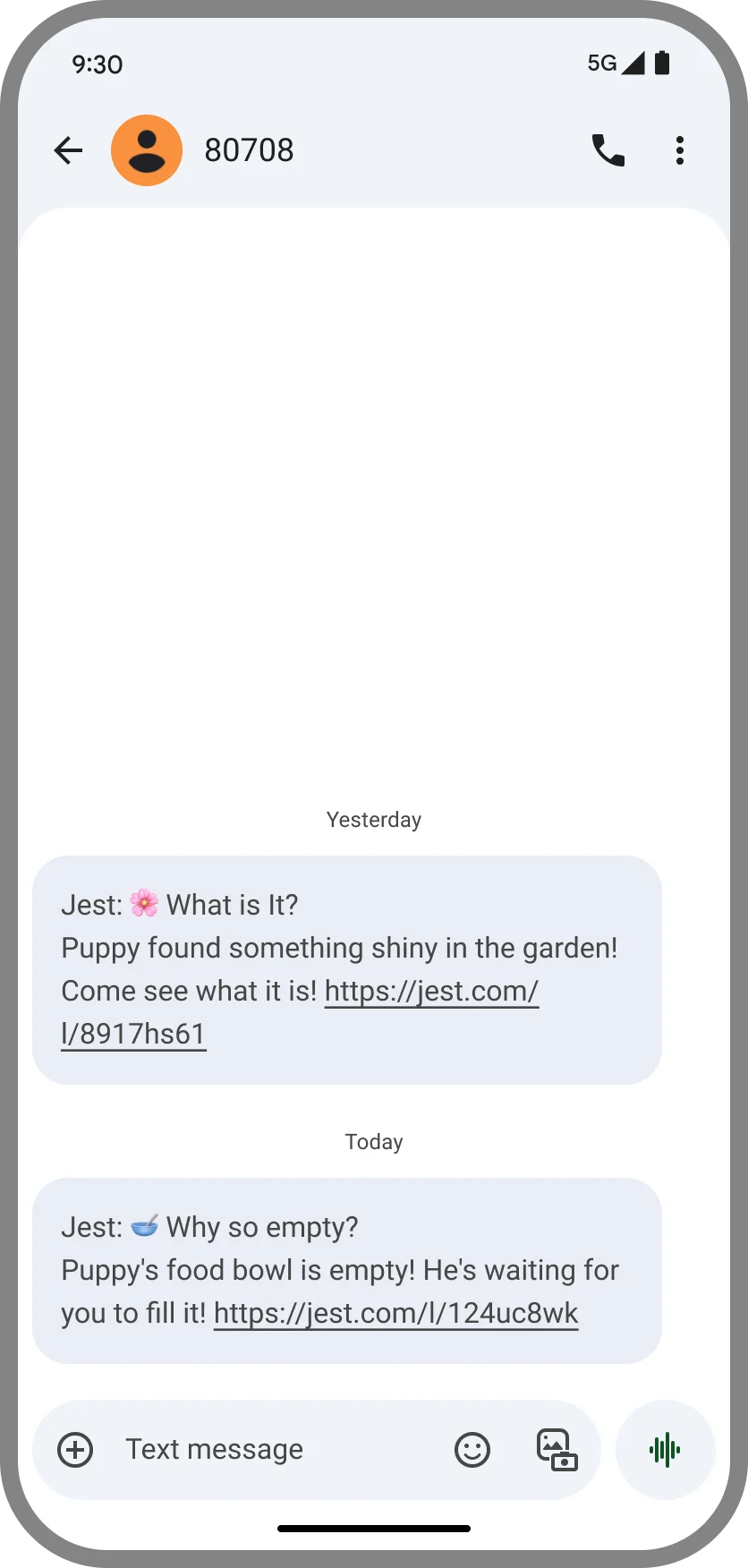
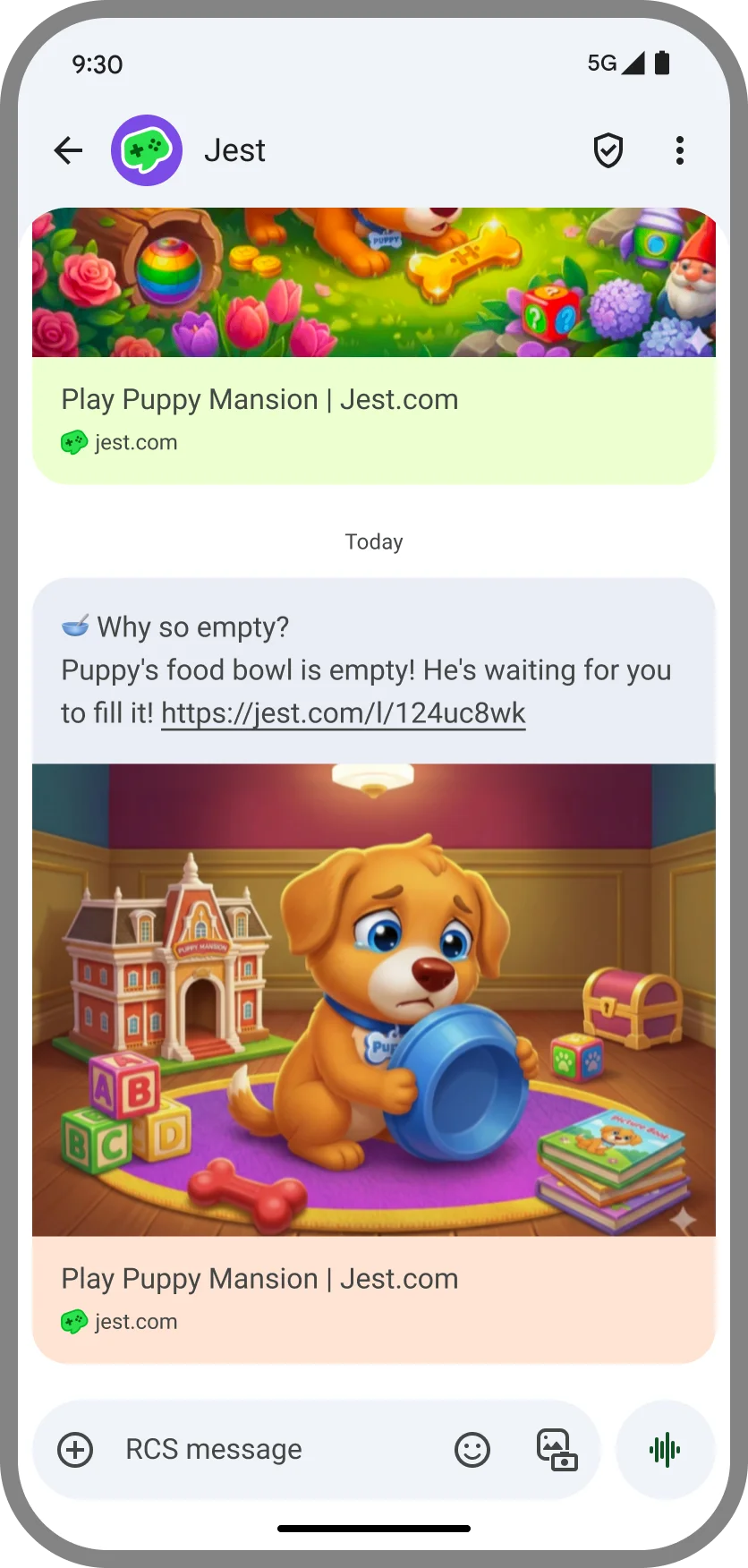
- Messaging inbox delivery: Jest may also deliver at most one scheduled notification per user, per day, directly to their messaging inbox via SMS or RCS.
This model allows apps to focus on notification strategy while the platform handles delivery, cost, and compliance.
Notification recommendations
General notification guidelines
- Optimize for the Home tab. More than 50% of app entries originate from Home, which accepts rich capabilities including customizing text, images, and videos.
- Deeply integrate notifications with your app. Notifications perform best when they reference real in-app state, such as rewards waiting to be claimed, time-limited events, or progress the user has already made.
- Keep notification text to 100 characters. Short messages are most effective. Additionally, if your notification is longer than that, it might get truncated if we have to send it via SMS, which has character limits.
- Only use basic characters. Emojis and other similar special characters might get removed by Jest if we have to send the notification via SMS.
- Do not mention the app’s name in the notification. The app name is automatically shown on the Jest platform and added to text messages.
- Upload images in advance. Make sure any images you plan to reference are uploaded and approved in the Developer Console. If a notification references an unapproved, invalid, or archived image, it will automatically fall back to your app’s Hero image.
- Avoid sensitive content in the notification body. Any content related to SHAFT (Sex, Hate, Alcohol, Firearms, Tobacco - including gambling/drugs) is not allowed and will be blocked.
- Avoid time-critical notifications. Texting has mandated quiet hours, which means messages may get delivered earlier or later than originally scheduled.
- Schedule notifications generously for maximum impact. The platform itself will handle message delivery ensuring minimal spam and user frustration.
- A/b test notifications to maximize their effect. You can use payloads to track notification performance. See the section below on notifications analytics.
Scheduling recommendations
We recommend a rolling notification strategy such as:
- When a user logs in for the first time, schedule daily notifications for D0–D7.
- To maximize the percentage of users who receive a notification, start scheduling reminders as soon as a registered user logs in. Schedule notifications that do not require specific trigger logic as early as possible.
- In these cases, it is often more effective to use fuzzy scheduling (
scheduledInDays) rather than exact scheduling (scheduledAt). Fuzzy scheduling works well when a notification is relevant at any point during the day, allowing the platform to choose an appropriate delivery time per user. Exact scheduling is better suited for fixed events or deadlines where timing matters. - The D0 message uses
scheduledInDays: 0, which lands 10 minutes from now, later the same day. - This approach is similar to how many native mobile apps use local notifications for early lifecycle messaging.
- As users progress, replace generic reminders with notifications that reflect their in-app progress.
- When a user returns to the app, unschedule any previously queued notifications and replace them with updated ones.
Notification content
Ingredients of a compelling notification
- Make each notification feel fresh. Repeated or recycled reminders quickly lose their impact. Small variations go a long way in keeping users curious and engaged.
- Keep notifications short and intriguing. The goal is to spark interest, not explain everything. Tease the experience and invite users back into the app to discover more.
- Lead with emotional relevance. Notifications should feel meaningful from the first send by referencing something the user cares about - progress, rewards, characters, or unfinished actions. Urgency can be layered in when it naturally fits the user’s state.
Call to action (CTA)
Notifications are most effective when they clearly tell users what to do next. Using strong verbs and direct language helps turn attention into action.
Clear calls to action consistently increase:
- Open rates
- Return sessions
- Conversion on the next in-app action (for example, continuing a story or starting the next level)
Simple CTAs like “Come back and play” work, but the strongest notifications are tied directly to app context and what the user stands to gain by returning. Examples include “Finish your next level,” “Claim your reward,” “Your puppy is hungry,” or “Your dragon wants to play.”
Customization
Personalized notifications feel more relevant - and perform better. Jest supports dynamic variables in messages, allowing you to tailor notifications to each user, such as referencing their name or in-app character.
A typical example would be a first-time user experience that includes a step to personalize the experience - such as choosing a character or pet name. Such custom inputs can be reused in notifications to make them feel personal and intentional. Default values should be set so every reminder still reads naturally, even when no custom input is available.
Personalized notifications consistently drive higher open rates, which in turn improves retention.
Notification analytics
While the optional identifier parameter is useful for managing scheduled notifications, it’s not the best tool for analytics or in-app attribution. Instead, we recommend using the entryPayload field when scheduling notifications.
Any data passed in entryPayload is preserved when a user opens the app from a notification and can be accessed after login via JestSDK.getEntryPayload(). This makes it ideal for tracking which reminders bring users back - and for triggering contextual in-app behavior.
Example
JestSDK.notifications.scheduleNotification({
  scheduledInDays: 1,
  body: "There's a present waiting for you!",
  ctaText: "Claim",
  attemptPushNotification: true,
  identifier: "callback_tomorrow",
  priority: "medium",
  entryPayload: {
    notification_template: "present_waiting_v1",
    notification_offset: "D1",
  },
});
If a user enters the app from this notification, the entry payload will be available after login as:
{
  notification_template: "present_waiting_v1",
  notification_offset: "D1",
}
The notification_template field makes it easy to A/B test different notifications and understand which copy or framing is most effective at bringing users back.
The notification_offset field allows you to analyze when users return - such as whether engagement is stronger on Day 1, Day 2, or later reminders.
You can then use this data to drive in-app logic.
const entryPayload = JestSDK.getEntryPayload();

if (entryPayload.notification_template === "present_waiting_v1") {
  // Trigger template-specific logic
}
By consistently tagging notifications with both a template identifier and a timing offset, you gain clear insight into which reminders perform best - and when they are most effective at bringing users back into the app.